We are constantly working to develop our platform to make workplace safety and health efforts both easier and more valuable. With our latest product update, we are launching a brand-new feature: anonymous dialogues in Pulse surveys.
This feature allows users not only to provide anonymous feedback inPulse surveys, but also to continue the dialogue in a secure and transparent manner.
How anonymous chats work
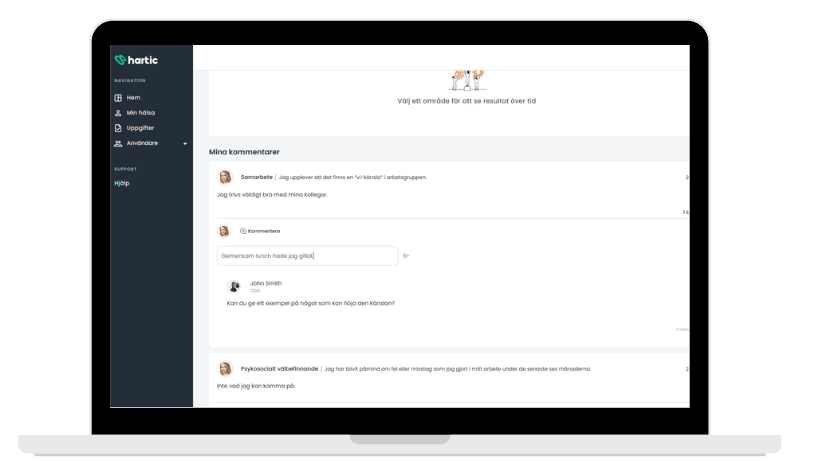
When an employee submits an anonymous comment in a Pulse survey Administrators and Managers Pulse survey choose to respond to it. This allows the dialogue to continue and evolve, while ensuring that the employee remains completely anonymous.
- Administrators can view and reply to all comments across the entire organization.
- Managers can view and reply to comments from the teams they are responsible for (where they are the owner).
When a reply is posted, the sender is visible, but the employee who posted the comment remains anonymous. However, the employee can see who replied to their comment.
Comments are closed
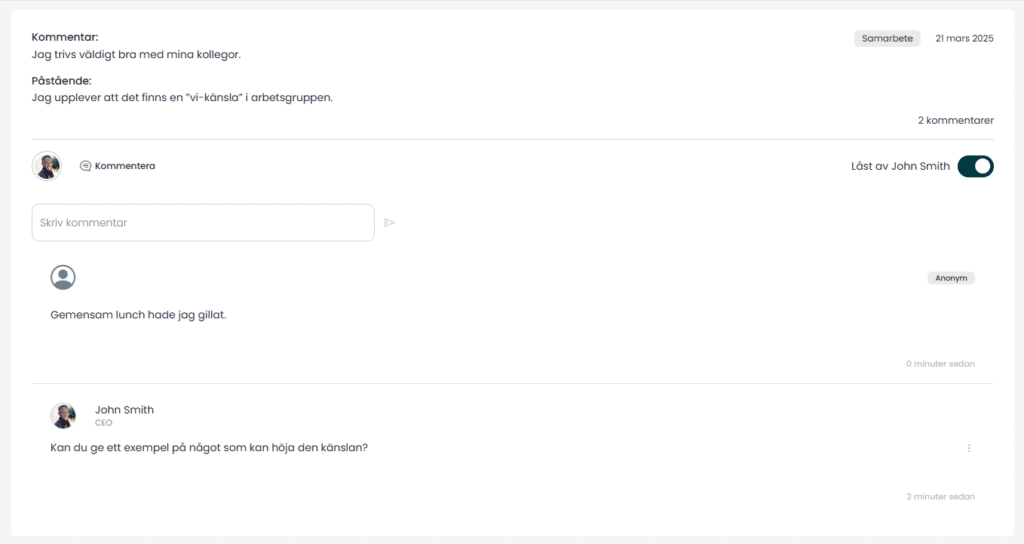
To promote clearer accountability in the dialogue, we are also introducing the option to lock comments.
- Administrators and Leaders can lock a thread after replying to a comment.
- A locked comment can be managed by the person who locked it.
- Moderators can unlock a comment at any time, and Administrators always have the authority to unlock comments.
This provides structure and makes it clearer who is responsible for an ongoing conversation, but of course, its use is entirely optional.
Easy to activate
As an administrator , you can choose whether to enable the anonymous chat feature and whether to allow comments to be locked.

All settings are configured under Settings – General.
Please note that the anonymous feedback feature in Pulse surveys enabled by default. If your organization does not wish to use this feature, an administrator must disable it. Comment locking is disabled by default.
Other improvements in this update
In addition to the anonymous chats, the new version also includes several improvements to the platform:
- An updated notifications menu that makes it easier to keep track of what's happening.
- Clearer instructions on the platform to improve user-friendliness.
- A fresh new design for smaller elements—such as profile pictures.
We know that a positive work environment is built on trust and openness. With the anonymous dialogue feature, we’re taking another step toward creating the best conditions for safe communication and engagement within organizations.
Anonymous chats and other improvements will be launched during the first half of week 40.